If you’ve been paying any attention to the rise of AI tools lately, you’ve probably come across both Vertex AI Studio and Google AI Studio. On the surface, they might look like they’re doing the same thing, but in reality, they serve different needs, have different strengths, and are aimed at slightly different users.
Let’s break it down in plain terms, without the marketing jargon.
First, What’s the Point of These Tools?
Both Vertex AI Studio and Google AI Studio are part of Google’s broader attempt to bring powerful AI tools to developers, analysts, researchers, and businesses. You don’t need to be working at a top AI company in India to benefit from them, but if you are, chances are you’re using one or both already.
These platforms help you build, experiment with, and deploy machine learning models without starting from scratch. But they come with their ways of doing things, and picking the right one could save you hours of frustration, or help you ship your project faster.
So, What Is Google AI Studio?
Google AI Studio is basically a sandbox for quickly trying out large language models. You don’t need to worry about infrastructure or training. You open up the tool, type your prompt, tweak some settings, and immediately see the output. It’s designed for experimentation. Think of it as a testing lab, fast, responsive, minimal setup. You’re not deploying to production from here. Instead, you’re exploring how a model behaves, figuring out if it suits your task, and getting a feel for how prompts and parameters affect the results. That’s why Google AI Studio is often the first stop for writers, app designers, and data folks experimenting with LLMs.
What About Vertex AI Studio?
This is where things get serious. Vertex AI Studio is part of Google Cloud’s AI platform, which is aimed more at production-level workflows. It lets you build, tune, deploy, and monitor models all in one place.
Here, you’re not just messing around. You’re building something meant to be shipped. Whether you’re creating an AI chatbot, summarisation engine, recommendation system, or fraud detector, Vertex AI Studio is where the real work happens.
It’s also where a top AI company in India would likely spend more time because of its ability to scale, track experiments, and integrate with other Google Cloud services.
Key Differences That Matter
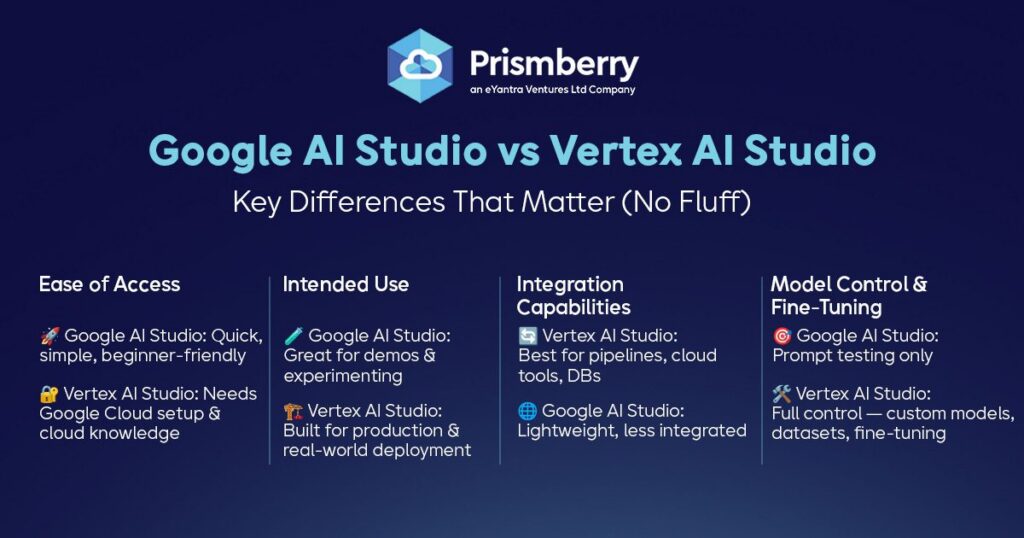
Let’s talk specifics, without the fluff:
1. Ease of Access
- Google AI Studio is quicker to access and easier to use. Great for getting your feet wet.
- Vertex AI Studio requires a Google Cloud account setup and familiarity with cloud environments.
2. Intended Use
- Google AI Studio = experimentation and demo.
- Vertex AI Studio = deployment and serious production work.
3. Integration Capabilities
If you’re working with pipelines, databases, cloud storage, or other Google tools, Vertex AI Studio wins. It fits naturally into that ecosystem.
Meanwhile, Google AI Studio stays lightweight. That’s its strength, but also its limitation.
4. Model Control and Fine-Tuning
This is a big one.
- Google AI Studio lets you test prompts but doesn’t give you control over the training or fine-tuning.
- Vertex AI Studio gives you full control, parameter tuning, dataset integration, custom models, the whole deal.
Why It Matters for Developers and Companies
Let’s say you’re building a product or feature powered by AI. You might start with Google AI Studio to quickly test if the model can do what you want. Once you’ve nailed that down, you move to Vertex AI Studio to build, fine-tune, and deploy at scale.
This workflow is now standard in many custom software development companies and especially inside any top AI company in India. They understand the balance between moving fast in the early phase and building a strong, scalable product for the long haul.
What About Cost?
Yes, cost matters. Google AI Studio is free to use for simple testing, which makes it attractive to freelancers, students, and early-stage startups.
But when you move to Vertex AI Studio, you’re tapping into a much bigger infrastructure. That means you’ll be paying for resources like compute, storage, and usage time. But you’re also getting the kind of stability and performance that enterprise-grade software needs.
Which One Should You Choose?
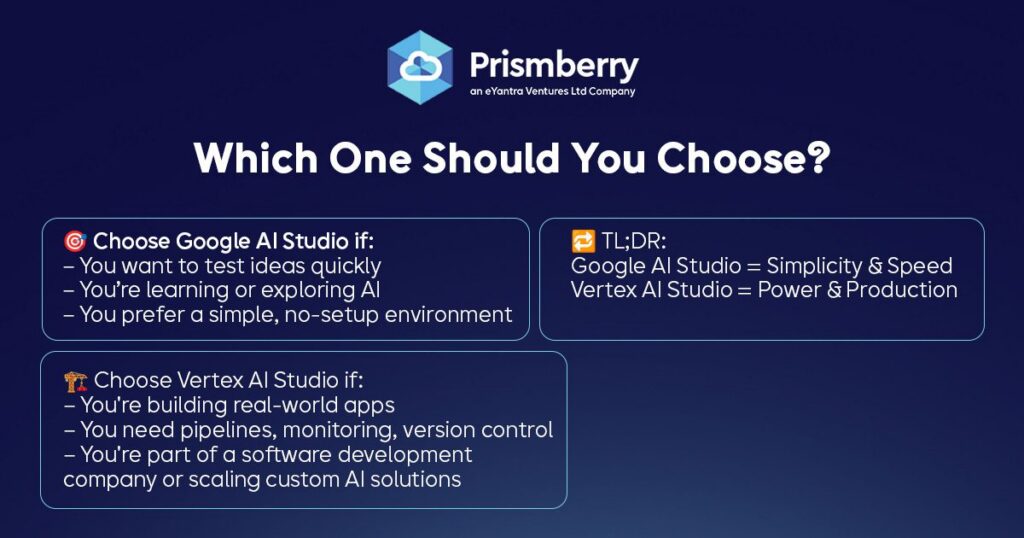
It depends on your goal.
- If you’re trying to understand how a model works or want to quickly validate an idea, go with Google AI Studio.
- If you’re building a real-world application and need advanced features like pipelines, monitoring, and version control, Vertex AI Studio is the way to go.
Also, if you’re part of a software development company or working with custom software development companies, you’ll eventually need the capabilities of Vertex AI Studio to scale and maintain projects properly.
Closing thoughts
Both tools serve important roles in the development process. You don’t have to choose one and ignore the other. The smart approach is to use Google AI Studio for initial concept work and then bring that into Vertex AI Studio once you’re ready to take things live.
In the fast-moving world of AI, knowing when and how to use the right tools makes all the difference. Whether you’re an indie developer or part of a top AI company in India, these two platforms offer the flexibility and depth to build better, faster, and smarter.
FAQs
Ans: Yes, and you probably should. Use Google AI Studio to prototype ideas, and move to Vertex AI Studio when you’re ready to build a production-ready system.
Ans: It can be, but it’s generally more useful for complex tasks. If you’re just exploring or building lightweight tools, Google AI Studio might be the better fit initially.
Ans: Because it offers better control, scaling options, and deep integration with cloud tools, all crucial for long-term, maintainable projects.