A customer does not think in departments.
They do not care whether their question belongs to billing, technical support, sales, operations, or another team. They simply want an answer.
And usually, they want it now.
That is why customer service becomes harder as a business grows. More customers create more conversations, more channels create more complexity, and support teams spend increasing amounts of time answering questions that may be repetitive but still matter.
This is where AI for customer service enters the conversation.
But there is a problem with the way AI is often introduced.
Businesses sometimes deploy a generic chatbot, connect it to a few web pages, and expect it to solve everything. When it cannot understand context or answer accurately, customers become frustrated and agents end up fixing the chatbot’s mistakes.
The better approach is much more practical.
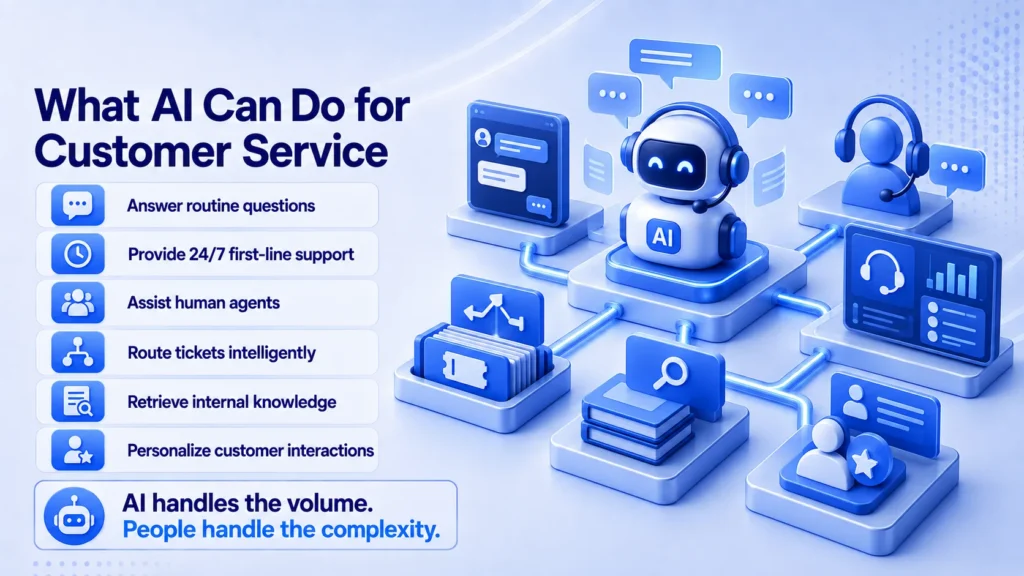
AI can answer suitable routine questions, find information, summarize conversations, classify requests, assist agents, automate repetitive tasks, and route customers to the right people.
The goal is not to replace the customer service team.
It is to give that team better leverage.
What Does AI for Customer Service Actually Mean?
AI for customer service means using artificial intelligence to support or automate parts of the customer support journey.
This can include conversational chatbots, AI-powered knowledge search, agent-assistance tools, automated ticket classification, conversation summaries, intent detection, response suggestions, sentiment analysis, personalization, and workflow automation.
Some systems interact directly with customers. Others work behind the scenes.
For example, a customer-facing assistant might answer a return-policy question. An agent-assist system might help a support representative find the correct policy and draft a response.
Both are valuable, but they solve different problems.
The most effective implementations usually combine customer-facing automation with AI tools that make human agents faster and more informed.
What Actually Works with AI in Customer Service?
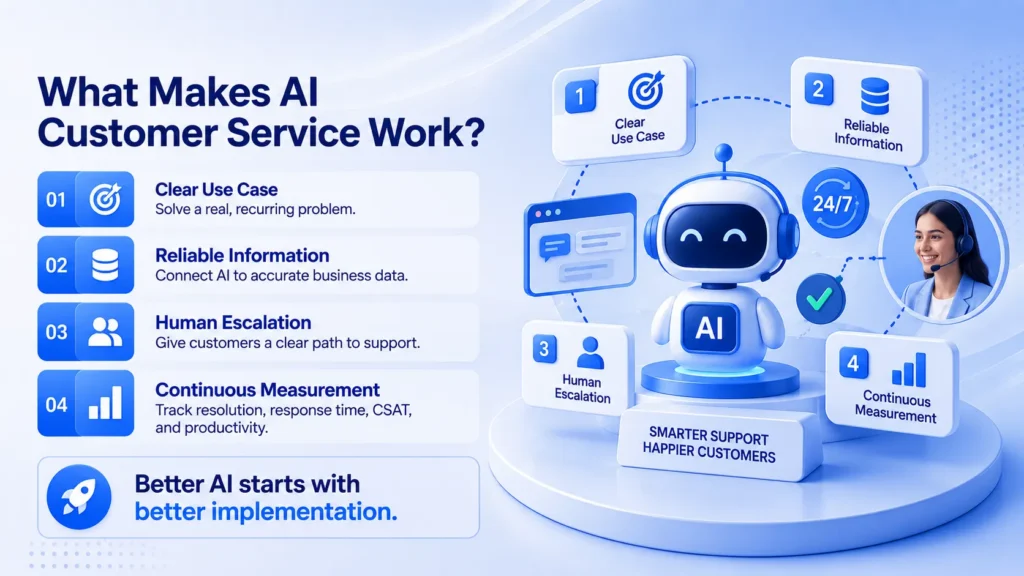
The strongest use cases usually have three characteristics.
First, they solve a clear and recurring problem.
Second, the AI has access to reliable business information.
Third, there is a clear path to human support when the situation is outside the system’s scope.
That combination is more important than simply choosing the newest AI model.
A technically impressive chatbot can still deliver a poor customer experience if it has outdated information, weak integrations, or no escalation process.
Here are the areas where AI can create practical value.
1. Automating Repetitive Customer Questions
Some customer questions appear every day.
“How do I reset my password?”
“When will my order arrive?”
“What is your return policy?”
“Where can I download my invoice?”
These questions are important, but they often do not require a human to answer individually.
An AI assistant can handle suitable questions instantly when it is grounded in accurate, approved information.
That reduces unnecessary tickets and gives customers a faster route to simple answers.
The important word is suitable. Automation should be based on what the system can answer reliably, not on a goal to eliminate as many human conversations as possible.
2. Providing First-Line Support 24/7
Customers may need help outside business hours.
AI can provide a first layer of support at night, on weekends, or across different time zones. It can answer routine questions, guide customers through basic troubleshooting, collect information, or create a support request for follow-up.
This can be especially useful for businesses serving customers across multiple regions.
But 24/7 automation should not become 24/7 frustration.
Customers should have an obvious way to reach human support when their problem is too complex, sensitive, or unusual for the AI system.
3. Helping Human Agents Work Faster
AI does not have to talk to the customer to create value.
Agent assistance is one of the most practical applications.
During a conversation, AI can summarize the issue, retrieve relevant documentation, surface previous context, identify the likely intent, and suggest a response.
The human agent remains responsible for reviewing the information and deciding what to send.
This reduces the time agents spend searching through internal systems and allows them to focus more attention on the actual customer.
In this model, AI becomes a support layer for the support team.
4. Routing Customers to the Right Team
A customer with a billing issue should not have to explain the same problem to a technical support representative.
AI can analyze an incoming request and help classify it by topic, intent, urgency, or other defined criteria.
That information can then be used to route the request to the appropriate queue or team.
Better routing has a simple benefit: the customer reaches someone who is more likely to solve the problem sooner.
It can also reduce unnecessary transfers and improve the efficiency of the support operation.
5. Making Internal Knowledge Easier to Use
Support teams often have the answers. The challenge is finding them quickly.
Knowledge may be spread across help-center articles, product documentation, internal policies, training material, CRM records, and team notes.
An AI-powered knowledge assistant can let agents ask questions in natural language and retrieve relevant information without manually searching through multiple systems.
This becomes particularly valuable when products are complex or policies change frequently.
However, AI cannot fix a broken knowledge foundation. Businesses still need clear ownership, accurate documentation, and regular content updates.
6. Personalizing the Customer Experience
Customers do not want to repeat information they have already provided.
Where appropriate permissions and integrations exist, AI can use relevant context to make a conversation more useful.
For example, it may understand the customer’s product, previous support interaction, subscription, or current issue and help the agent respond with less repetition.
But personalization should be purposeful.
Using more customer data does not automatically create a better experience. The right information, used with appropriate permissions, should reduce friction without becoming intrusive.
Good personalization feels helpful rather than noticeable.
Where AI Customer Service Often Goes Wrong
The biggest mistake is trying to automate everything too quickly.
A chatbot that cannot understand context, has access to outdated information, or cannot connect customers with a human can create more work instead of less.
Another problem is overconfidence. AI can produce a fluent answer even when it does not have enough information to provide a correct one.
There is also the issue of poor escalation.
If a customer repeatedly asks for a person and the system continues to send automated responses, the technology becomes part of the problem.
Good AI customer service needs boundaries.
The system should know what it can answer, what it should ask, what it should escalate, and what it should never assume.
AI Should Augment Customer Service, Not Just Automate It
The strongest customer-service model is usually a partnership between AI and people.
AI is well suited to speed, information retrieval, pattern recognition, consistency, and repetitive workflows.
People remain better positioned for empathy, negotiation, unusual situations, complex complaints, and decisions that require judgment.
That creates a practical division of work.
Let AI handle high-volume, predictable, information-driven tasks.
Let people handle exceptions, sensitive conversations, complex cases, and decisions that need human judgment.
The result is not a customer-service operation with fewer people simply for the sake of reducing headcount.
It is a customer-service operation where people can spend more of their time on work that actually needs people.
How Should a Business Start Using AI for Customer Service?
Do not start with the question, “Where can we add a chatbot?”
Start with the problem.
Look at the questions your team answers repeatedly. Identify where customers wait too long. Find the processes that force agents to search across multiple systems or perform the same administrative work after every interaction.
Then choose one focused use case.
Connect the AI to reliable information and the systems it needs. Define escalation rules before launch. Test difficult and unexpected scenarios, not only ideal conversations.
Finally, measure the outcome.
Track resolution rate, response time, escalation rate, repeat contacts, customer satisfaction, and agent productivity.
If the AI improves the experience and the operation at the same time, expand it gradually.
How Prismberry Helps Businesses Build AI-Powered Customer Service
Prismberry helps businesses build AI solutions around real customer-service workflows, not just standalone chatbots.
Our customer-service AI solutions can include:
- AI chatbots and virtual assistants
- AI-powered knowledge and workflow automation
- CRM, ticketing, and business-system integrations
- Intelligent ticket routing and agent assistance
- Custom AI applications for specific support requirements
What AgentIQ Adds: Enterprise AI Intelligence
Prismberry’s AgentIQ is an enterprise AI agent framework designed to connect business information, systems, and workflows through a governed AI layer.
AgentIQ can connect with:
- CRM and customer records
- Knowledge bases and internal documents
- Ticketing and support systems
- Business databases and operational systems
- Internal tools and enterprise applications
Instead of forcing agents or customers to search across multiple systems, AgentIQ can bring relevant information and actions into one governed interaction.
Built for Customer-Service Workflows
For a customer-service operation, this can mean an AI assistant that:
| Understand | Retrieve | Guide | Escalate | Govern |
| Identify the customer’s request and intent. | Access relevant information from approved business sources. | Move the conversation toward the appropriate next step. | Route situations outside the defined scope to human support. | Maintain defined access, boundaries, and approval controls. |
The Enterprise Value
The goal is not simply to add another chatbot to a customer-service website.
It is to create an AI-enabled layer across the customer and operational journey that can retrieve trusted information, support routine workflows, and help teams respond faster without removing the human role where judgment or escalation is required.
Final Thoughts: The Best AI Customer Service Does Not Feel Like AI
Customers rarely care that an interaction was powered by artificial intelligence.
They care that their question was understood.
They care that the answer was accurate.
They care that they did not have to repeat themselves.
And when the problem was complicated, they care that they could reach someone who could actually help.
That is what AI for customer service should be designed to deliver.
Use AI where speed and scale create value. Give it reliable information. Connect it to real workflows. Monitor its performance. And give customers a clear path to human support when the situation requires it.
The goal is not to make customer service completely automated.
The goal is to make it faster, smarter, and more helpful without losing the human side of the experience.
Frequently Asked Questions
Yes. AI can improve customer service by handling routine questions, providing faster first-line support, assisting agents, routing requests, retrieving knowledge, and automating repetitive tasks. Results depend on the quality of the implementation.
AI is generally more useful as an augmentation tool than as a complete replacement. It can handle predictable work while human agents focus on complex, sensitive, and judgment-based situations.
AI can collect information and support some structured complaints, but difficult cases often require empathy, judgment, negotiation, or exceptions. Those situations should have a clear route to a human agent.
AI can summarize conversations, retrieve relevant knowledge, classify tickets, identify intent, suggest responses, and automate documentation. This reduces time spent searching and performing repetitive administrative work.
Common risks include inaccurate answers, outdated information, privacy issues, weak escalation, inconsistent policies, and over-automation. Businesses should use reliable knowledge sources, access controls, testing, monitoring, and human oversight.
Start with one high-volume, low-risk workflow. Define its boundaries, connect AI to reliable information and relevant systems, create escalation rules, test it thoroughly, and measure customer and operational outcomes before expanding.